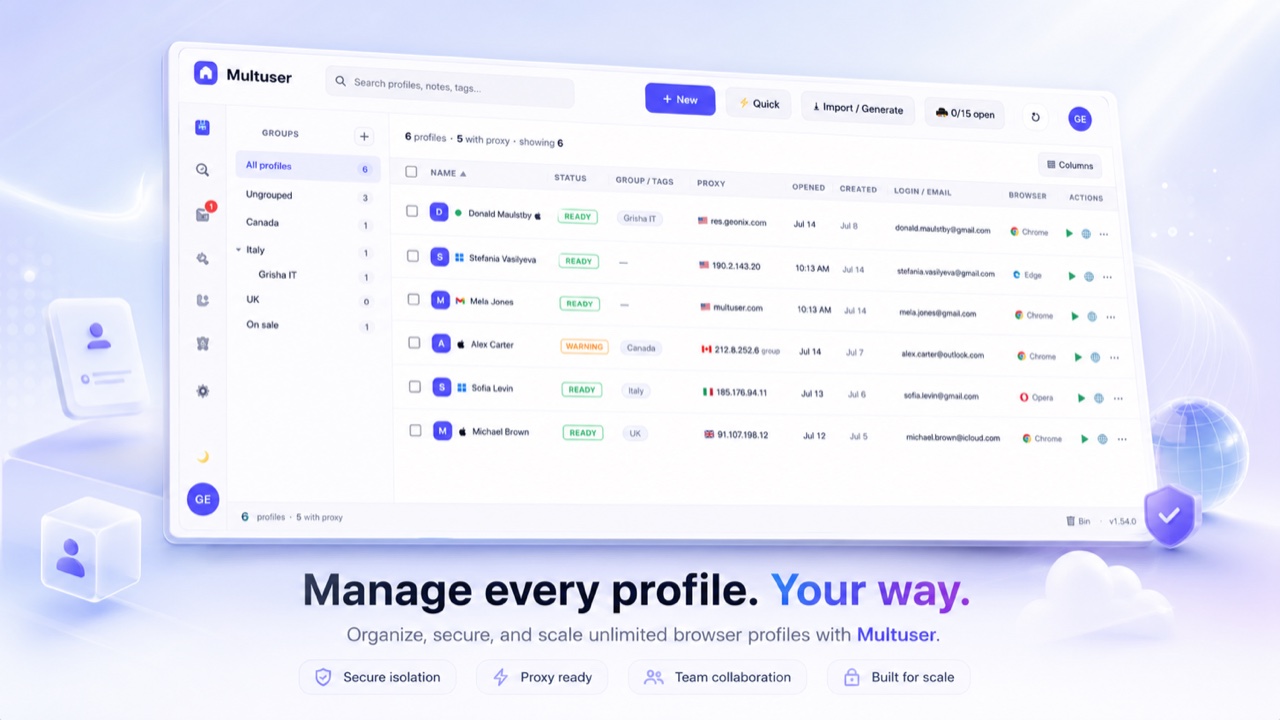
The latest Multuser release adds verified seller onboarding, transparent inspection and disputes, resilient proxy offers, and a complete Marketplace operations center.
Marketplace trustIncluded in the latest release
Know what you are buying—and who is selling it
Review a seller-authorized workspace, its redacted passport, transfer boundaries, and the inspection deadline before checkout.
- Reviewed sellers and current policy acceptance
- Structured disputes and suspicious-listing reports
- Proxy health, replacement capacity, latency and limits
CollaborationLive workspace state
Live teammate profile usage
See when another teammate opens or closes a profile without pressing Refresh.
- Shows the responsible user and computer
- Disables Open while the profile is in use
- Updates the latest Opened time automatically
Fingerprint healthIndependent verification
Check, explain and repair identities
Fingerprint health compares the saved identity with the running browser and an audited local MixVisit check.
- Bulk-scan selected profiles without opening every browser
- Repair and verify profiles sequentially
- Keeps real protection failures prominent and collector limitations quiet
Browser identitiesDesktop & Android
Coherent browser and device settings
Linked identity templates keep browser, operating system, screen, hardware, graphics and Client Hints aligned.
- Chrome, Edge, Brave and Opera support with honest local fallbacks
- Linked Android phone models and mobile metadata
- Protected page, iframe, Worker and SharedWorker startup checks
Proxy controlPool & limits
Faster proxy navigation and safer limits
Manage customer-added and Multuser-provided proxies from a country-aware shared pool.
- Country tabs, flags and per-proxy profile counts
- Bulk selection, deletion and daily or monthly limits
- Dismissible warnings at 90% usage and a disable-without-delete switch
Data SaverPer profile or launch
Use less proxy data when you need to
Choose a low-data launch for one profile or enable the global launch switch for every profile opened next.
- Reduces image, media-autoplay and speculative traffic
- Works with company and per-proxy allowances
- Usage warnings remain visible before a limit is reached
SynchronizerSelected open profiles
Coordinate actions across profiles
Choose a leader and replay supported actions to selected open profiles while keeping each browser session separate.
- Manual address-bar URLs can be shared across followers
- Smart navigation avoids forcing account-specific redirects onto every profile
- New tabs and active-tab changes stay aligned when navigation sync is enabled
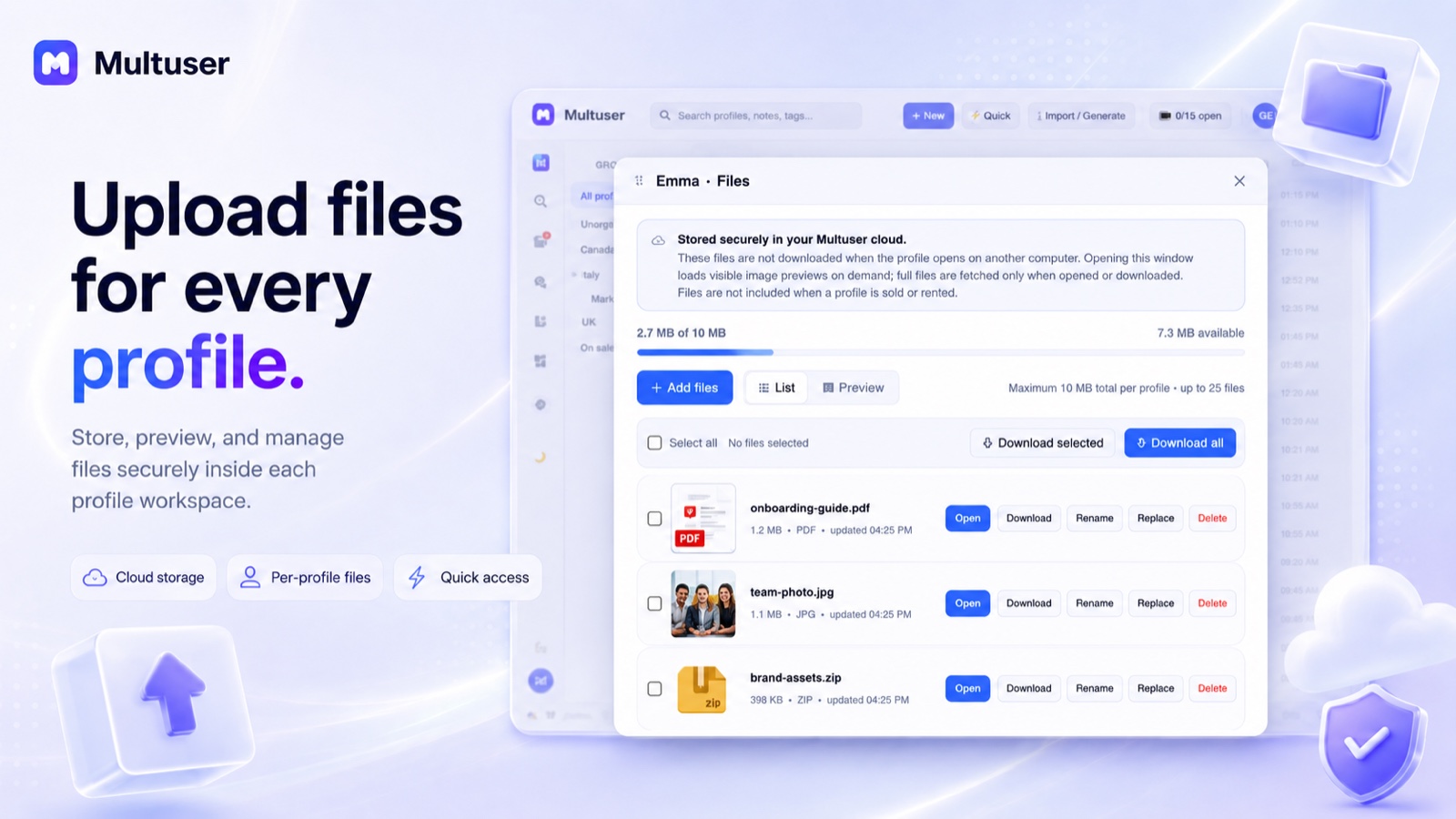
Profile workspaceFiles, history & labels
Everything related to a profile, together
Use a tabbed profile view for cloud files, activity history, account details, notes, tags and status.
- Up to 10 MB of cloud-only files per profile
- List or preview view, selected downloads and Download all
- Compact history, recovery points and easy navigation back to the profile
Mailbox toolsConnection diagnostics
Test email before saving it
Verify incoming and outgoing mailbox settings from the profile editor and receive a useful explanation when connection or authentication fails.
- Combined mailbox view across profiles
- Unread status in the profile list
- Actionable server and login errors
Desktop updatesOne-time Mac setup
Smoother verified app updates
Download updates inside Multuser, verify the installer, then open the normal macOS or Windows installation flow.
- Structured What’s new log for every release
- Release notes appear once after an update
- Theme, columns and other workspace preferences are remembered
MarketplaceProfiles & proxies
List, buy, sell or rent from one place
Browse public profile and proxy inventory, then complete protected delivery from your Multuser account.
- Profile listings include practical account and session details
- Sale and rental flows freeze the source profile while listed
- Escrow, seller history and structured inventory reduce purchase uncertainty
 Multuser